How to Use ChatGPT in Daily Life: 10 Practical Ideas for Planning, Writing, Learning, and Creating
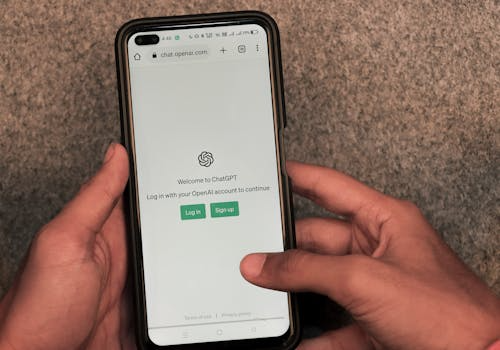
ChatGPT becomes more useful when you stop asking, “What can this tool do?” and start asking, “Where do I lose time, clarity, or creative energy in my daily life?”
That small shift changes everything.
Many people try ChatGPT once, ask it a vague question, receive a generic answer, and decide it is not very helpful. But the problem is often not the tool itself. The problem is the way it is used. ChatGPT works best when you treat it less like a magic answer machine and more like a thinking partner — something that can help you organize messy thoughts, draft first versions, explain difficult ideas, plan your week, or open a creative door when your mind feels stuck.
OpenAI describes ChatGPT as an AI assistant that can help with everyday tasks such as brainstorming, writing, studying, planning, math, coding, and analyzing files or images. It is designed to follow instructions in conversation, which means the quality of your request often shapes the quality of the answer.
That is why learning how to use ChatGPT well is becoming a practical life skill.
Used carelessly, it can produce bland answers. Used thoughtfully, it can save time, clarify your thinking, and help you move from “I don’t know where to start” to “I have a clear first step.”
This guide will show you how to use ChatGPT in daily life for planning, writing, learning, organizing, journaling, content creation, and creative projects — without losing your own voice in the process.
What Is ChatGPT, Really?
ChatGPT is an AI assistant that can respond to questions, help generate ideas, explain concepts, draft text, organize information, and support different kinds of everyday tasks.
But the most important thing to understand is this: ChatGPT is not a replacement for your own judgment.
It can help you think, but it should not think instead of you. It can draft an email, but you should still decide whether the message sounds like you. It can summarize information, but important facts should still be checked. It can suggest a plan, but you are the one who knows your energy, your schedule, your responsibilities, and your real life.
Think of it as a flexible assistant for the early and messy stages of work:
- when you need a starting point
- when your ideas are scattered
- when you want a clearer structure
- when you need several options
- when you want to rewrite something more professionally
- when you need help learning a new topic
- when you want creative ideas but feel blocked
OpenAI’s own writing guidance describes ChatGPT as useful for drafting, rewriting, tightening, adjusting tone, and turning rough notes into clearer communication.
That is where ChatGPT becomes genuinely practical: not as a machine that replaces your mind, but as a tool that helps you use your mind better.
Before You Start: The Secret Is in the Prompt
The biggest mistake beginners make with ChatGPT is asking questions that are too vague.
If you write:
Help me plan my week.
You may get a generic weekly schedule that does not match your real life.
But if you write:
Help me plan a realistic weekly schedule for a woman working from home. I need time for client work, writing, exercise, errands, reading, and rest. I do not want an unrealistic schedule. Please organize it by morning, afternoon, and evening.
The answer will usually be much more useful.
The difference is context.
ChatGPT works better when you tell it:
- what you need
- what your goal is
- who the result is for
- what tone you want
- what format you prefer
- what details matter
- what you want it to avoid
OpenAI’s prompting guidance also emphasizes making the task clear enough for ChatGPT to produce reliable, useful results, especially for everyday work such as summarizing, drafting emails, translating, analyzing scenarios, and brainstorming.
A good prompt does not have to be complicated. It just has to be specific.
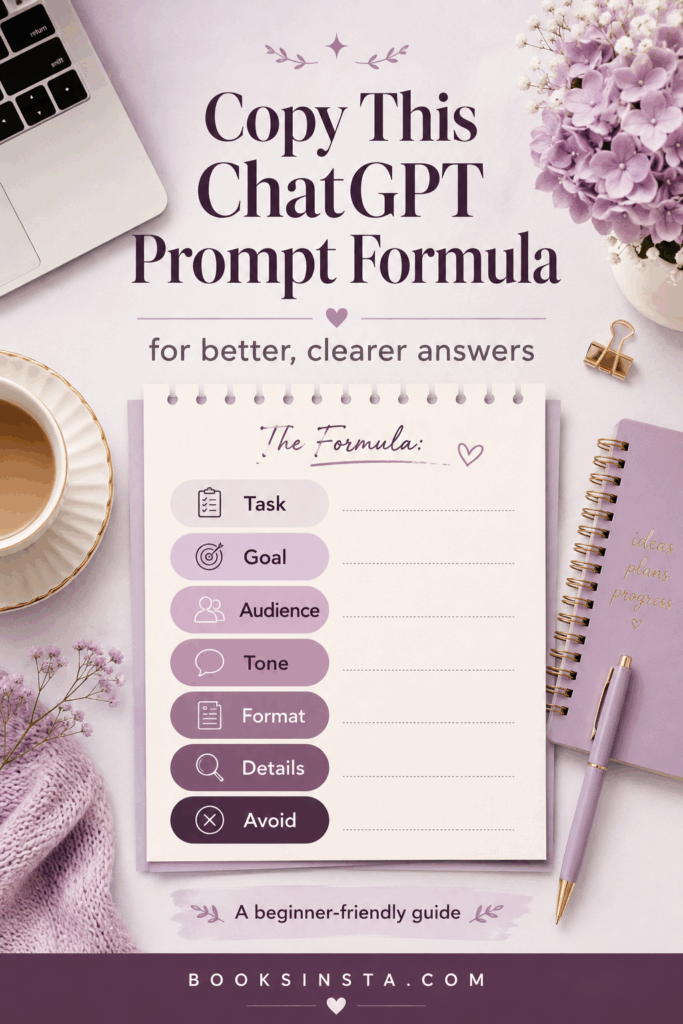
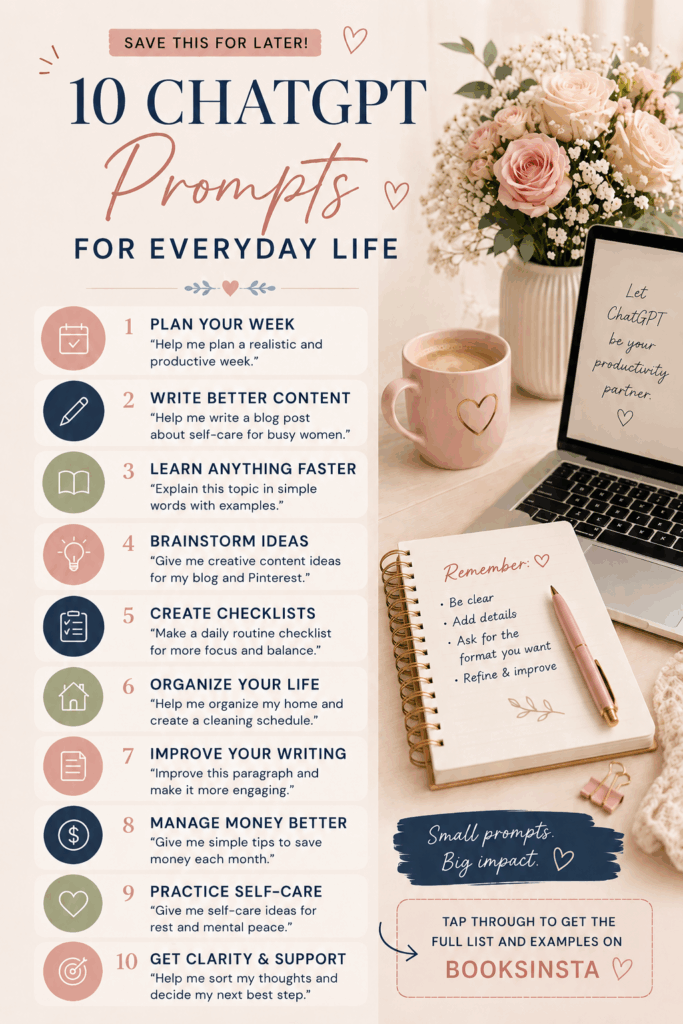
Here is a simple formula you can reuse.
Copy-and-Paste ChatGPT Prompt Formula
Use this whenever you do not know how to ask ChatGPT for help:
I want you to help me with [task].
My goal is [goal].
The audience is [audience].
The tone should be [tone].
Please format it as [format].
Include [details to include].
Avoid [things to avoid].
Ask me questions only if necessary.
Example:
I want you to help me write a professional email. My goal is to follow up with a client who has not replied. The tone should be polite, clear, and confident. Please keep it short. Avoid sounding impatient or emotional.
This kind of prompt gives ChatGPT direction. It also protects your voice, because you are telling the tool what kind of result you want.
Now let’s look at practical ways to use ChatGPT in daily life.
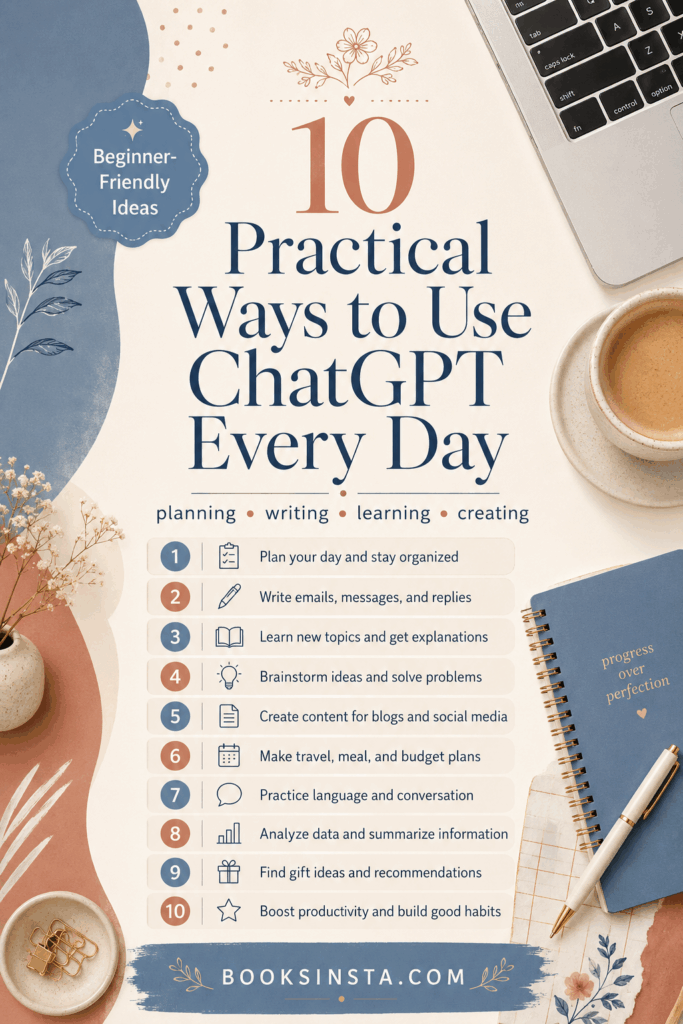
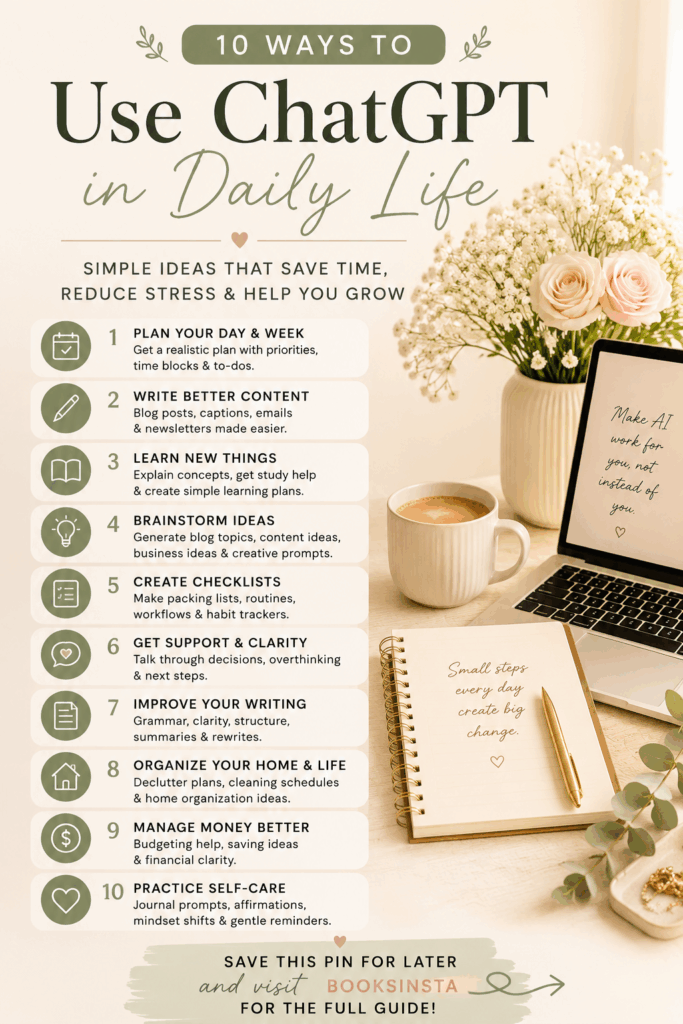
10 Practical Ways to Use ChatGPT in Daily Life
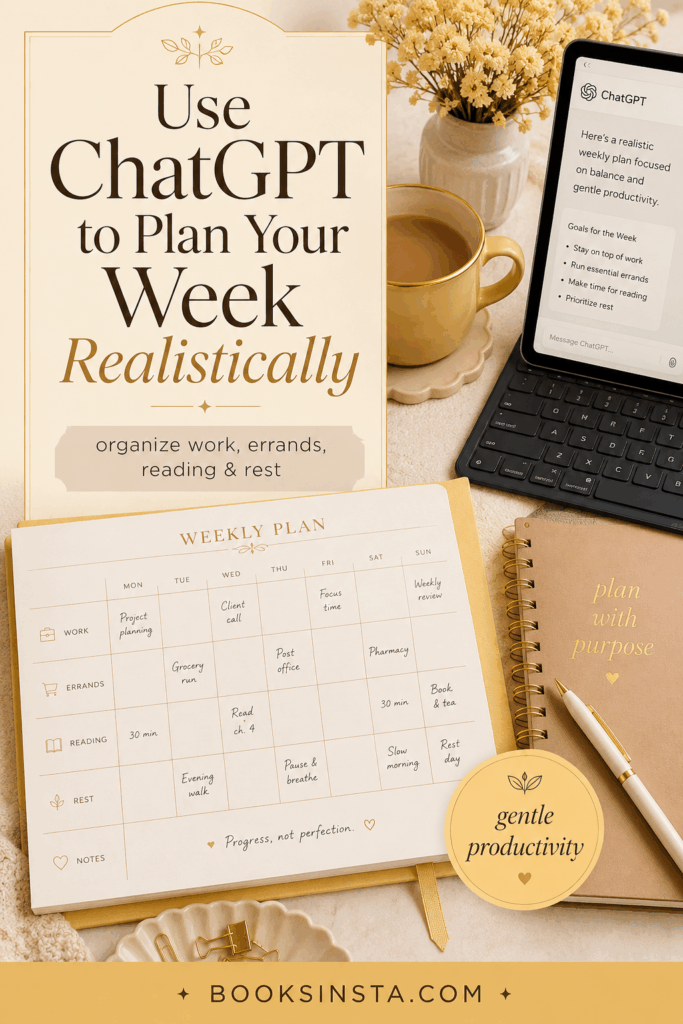
1. Use ChatGPT to Plan Your Week
One of the simplest ways to use ChatGPT is for weekly planning.
This is especially helpful if you often feel like your responsibilities are floating around in your head without structure. Instead of starting from a blank page, you can ask ChatGPT to help you organize your week around your priorities.
You can use it to plan:
- work tasks
- errands
- cleaning
- exercise
- reading time
- study sessions
- creative projects
- meal ideas
- rest days
- content creation
- personal appointments
The key is to ask for a realistic plan, not an idealized one.
A useful prompt:
Help me plan my week realistically. I need time for work, errands, cleaning, exercise, reading, and rest. I do not want the schedule to feel too packed. Please organize it by day and suggest the top three priorities for each day.
You can also give ChatGPT your actual list of tasks and ask it to organize them.
Example:
Here are all the things I need to do this week: [paste your list]. Can you organize them into a realistic weekly plan and separate urgent tasks from flexible ones?
This can be surprisingly calming. Sometimes the problem is not that you have too much to do. It is that everything is sitting in your mind at the same level of urgency. ChatGPT can help separate what matters now from what can wait.
2. Use ChatGPT to Organize Your Thoughts
Not every problem needs a perfect solution immediately. Sometimes you simply need to see your thoughts clearly.
ChatGPT can help turn mental clutter into categories, lists, questions, or action steps.
This is useful when you feel overwhelmed, unsure, or mentally scattered. You can paste your messy thoughts into ChatGPT and ask it to organize them without making decisions for you.
Example prompt:
I feel overwhelmed by these thoughts. Please organize them into categories: things I can control, things I need to decide, things I can postpone, and things I should stop worrying about for now.
Or:
I am trying to make a decision between two options. Can you help me compare the pros, cons, risks, and emotional factors without telling me what to choose?
This is not about letting AI decide your life. It is about creating enough clarity so that you can decide with more calm.
You can use ChatGPT for:
- decision-making
- sorting priorities
- breaking down worries
- preparing for a conversation
- understanding why a project feels stuck
- turning vague goals into clear steps
A thoughtful prompt:
I want to understand why I keep postponing this project. Ask me reflective questions that can help me identify whether the issue is fear, lack of clarity, lack of time, or perfectionism.
This kind of use fits beautifully into daily life because it is not dramatic. It is simply a way to think with more structure.
3. Use ChatGPT to Create Realistic Routines
Routines are often presented online as if everyone has endless discipline, quiet mornings, and perfect energy. Real life is less polished.
ChatGPT can help you create routines that match your actual lifestyle instead of copying someone else’s.
You can ask it to create:
- a morning routine
- an evening routine
- a Sunday reset routine
- a study routine
- a reading routine
- a writing routine
- a cleaning routine
- a work-from-home routine
- a creative routine
The most important word to include is realistic.
Example prompt:
Help me create a realistic morning routine for someone who does not like waking up very early. I want it to include breakfast, light movement, planning my day, and 20 minutes of reading. Keep it simple.
Another example:
Create a gentle evening routine that helps me disconnect from work, prepare for tomorrow, and relax without making it too complicated.
You can also ask for different versions:
Give me three versions of this routine: a 15-minute version, a 30-minute version, and a slow weekend version.
This is useful because routines often fail when they are too rigid. ChatGPT can help you create flexible versions for different energy levels.
A good routine should support your life, not punish you for being human.
4. Use ChatGPT to Draft Emails and Messages
This is one of the most practical daily uses of ChatGPT.
Writing emails can take more emotional energy than expected, especially when you need to sound polite, professional, firm, grateful, apologetic, or diplomatic. ChatGPT can help you find the right words faster.
You can use it for:
- professional emails
- client follow-ups
- job applications
- polite complaints
- thank-you messages
- collaboration requests
- boundary-setting messages
- difficult replies
- short bios
- introductions
Example prompt:
Write a polite and professional follow-up email to a client who has not replied in one week. Keep it warm but clear. Do not sound annoyed.
Another example:
Rewrite this message so it sounds confident, respectful, and not too apologetic: [paste your message].
This is especially helpful for people who overthink communication. ChatGPT can give you a first draft, but you should always edit it before sending.
Why? Because your relationships have context. ChatGPT does not know every nuance. It can help with wording, but you should decide what is appropriate.
A good way to use it is to ask for three tone options:
Give me three versions of this email: one warm, one direct, and one very professional.
Then choose the one that feels most like you.
5. Use ChatGPT to Improve Your Writing
ChatGPT is very useful for improving writing, especially when you already have a rough draft.
Instead of asking it to “write something,” try asking it to improve something you have already written. This keeps your voice at the center.
You can use it to:
- make a paragraph clearer
- remove repetition
- improve structure
- make writing more elegant
- adjust tone
- simplify complicated sentences
- create stronger headings
- turn rough notes into an outline
- make a draft more professional
- check if an argument is clear
Example prompt:
Rewrite this paragraph to make it clearer, more elegant, and more confident. Keep my original meaning and do not make it sound overly formal.
Another useful prompt:
Read this draft and tell me where it feels repetitive, unclear, or weak. Do not rewrite it yet. Give me editorial feedback first.
This is a smarter way to use ChatGPT because it turns the tool into an editor rather than a ghostwriter.
For bloggers, students, freelancers, and online workers, this can save a lot of time. OpenAI’s writing guide notes that ChatGPT can help with drafting, revising, refining wording, organizing ideas, and adjusting tone for a specific audience.
But the best results still need your judgment. ChatGPT can polish a sentence, but you decide whether the sentence says something worth saying.
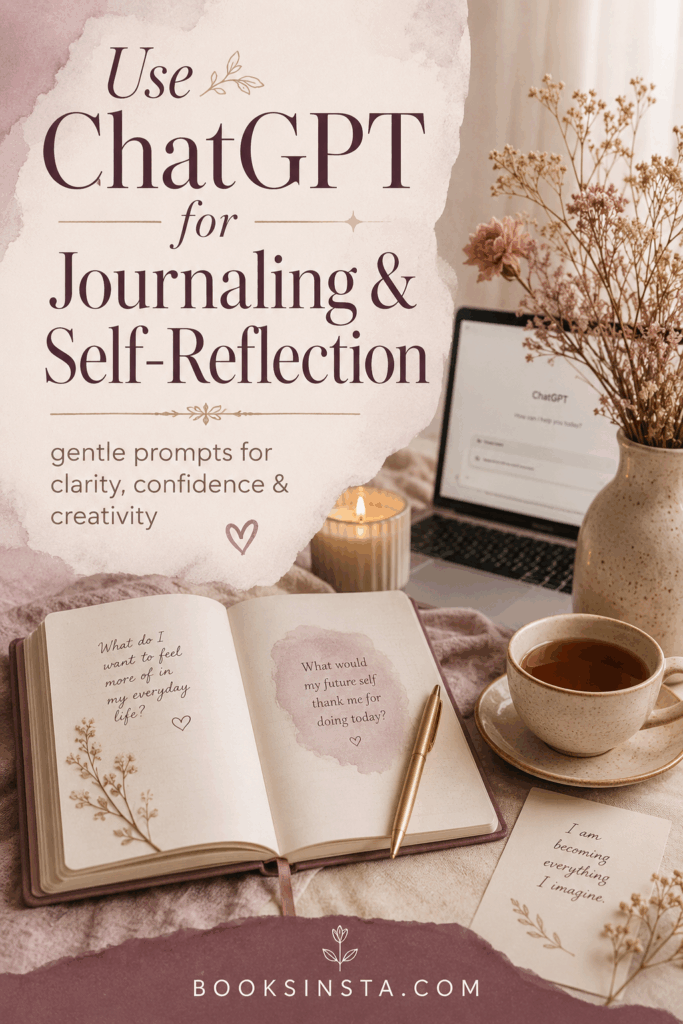
6. Use ChatGPT for Journaling Prompts and Self-Reflection
ChatGPT can also be helpful for journaling, especially when you want to reflect but do not know where to begin.
This does not mean using ChatGPT as therapy. It should not replace professional mental health support. But for everyday reflection, self-awareness, and creative journaling, it can offer useful prompts.
You can ask for journaling ideas about:
- confidence
- creativity
- decision-making
- friendships
- boundaries
- motivation
- reading reflections
- career goals
- self-doubt
- emotional patterns
- gratitude
- personal growth
Example prompt:
Give me 10 thoughtful journaling prompts to understand why I feel creatively stuck. Avoid cliché motivational phrases.
Another example:
Create a journaling exercise for reflecting on what I want my life to feel like over the next six months. Make it gentle, realistic, and emotionally mature.
You can also ask ChatGPT to turn your journaling into themes.
Example:
I am going to paste a journal entry. Please summarize the main themes, repeated emotions, and possible questions I should reflect on. Do not diagnose me or give medical advice.
That last sentence is important. ChatGPT can help you reflect, but it should not label, diagnose, or replace care from a qualified professional.
For Booksinsta readers, this use is valuable because it connects technology with self-growth in a thoughtful way. The goal is not to automate your inner life. The goal is to ask better questions.
7. Use ChatGPT to Learn Something New
ChatGPT can make learning feel less intimidating.
You can ask it to explain a topic at your level, give examples, create a study plan, quiz you, compare concepts, or recommend a learning path. This is useful for students, readers, freelancers, creators, and anyone who enjoys learning independently.
You can use it to learn about:
- literature
- history
- art
- language
- grammar
- marketing
- writing
- technology
- culture
- productivity
- business basics
- creative skills
Example prompt:
Explain the Renaissance to me as a beginner, but make it thoughtful and not childish. Include important artists, ideas, and why it still matters.
Another example:
Teach me the basics of SEO in a simple but serious way. Give me examples for a lifestyle blog.
You can also ask it to create a learning plan:
I want to learn copywriting in 30 days. Create a beginner-friendly plan with daily topics, practice exercises, and realistic expectations.
Or use it as a quiz partner:
Quiz me on this topic one question at a time. Wait for my answer, then explain what I got right or wrong.
OpenAI lists studying and learning among everyday uses for ChatGPT, including tasks such as explaining concepts and helping users explore ideas.
Still, for important or specialized topics, you should verify information from reliable sources. This is especially important for health, legal, financial, academic, political, or current news topics.
ChatGPT can help you begin learning. It should not be your only source of truth.
8. Use ChatGPT to Summarize and Simplify Information
Another practical use of ChatGPT is summarizing.
This can help when you have a long article, a set of notes, a meeting transcript, a study chapter, or a messy document that you need to understand quickly.
You can ask ChatGPT to:
- summarize long notes
- explain difficult text
- turn information into bullet points
- create a study guide
- extract action steps
- identify key arguments
- simplify complex language
- compare two ideas
- create a checklist
Example prompt:
Summarize this text in clear bullet points. Then give me the main idea, the most important details, and three questions I should remember.
Another example:
Explain this article in simple language without removing the important nuance.
For students and readers, this can help with comprehension. For online workers, it can help with emails, reports, client notes, research, and planning.
But be careful: summarizing is not the same as understanding. A summary can save time, but you still need to read carefully when the details matter.
A good follow-up prompt is:
What important details might be lost if I only read the summary?
This encourages a more thoughtful use of the tool.
9. Use ChatGPT for Content Ideas
If you are a blogger, Pinterest creator, freelancer, small business owner, or social media creator, ChatGPT can be a useful brainstorming partner.
It can help you generate:
- blog post ideas
- article outlines
- Pinterest titles
- newsletter topics
- Instagram captions
- product descriptions
- lead magnet ideas
- printable ideas
- content calendars
- headline variations
- SEO keyword angles
- FAQ sections
Example prompt:
Give me 30 blog post ideas for a feminine lifestyle website about books, confidence, culture, and creative living. Make the ideas thoughtful, SEO-friendly, and not generic.
Another example:
Create 10 Pinterest title ideas for an article about using ChatGPT in daily life. Make them clear, useful, and attractive without clickbait.
OpenAI’s marketing guidance describes ChatGPT as useful for planning campaigns, creating content, generating variations, turning scattered inputs into clearer messaging, and moving from ideas to execution. It also recommends treating ChatGPT as a thought partner, refining from there, and applying human judgment for final decisions.
That advice is useful for creators too.
Do not publish raw AI-generated content without editing. Instead, use ChatGPT to create options, then choose, refine, personalize, and add your own examples.
A strong content workflow might look like this:
- Ask for topic ideas.
- Choose the strongest angle.
- Ask for an outline.
- Add your own experience or research.
- Draft the article.
- Ask ChatGPT for editorial feedback.
- Rewrite in your own voice.
- Create Pinterest titles and meta description.
This keeps the work efficient without making it soulless.
10. Use ChatGPT as a Creative Brainstorming Partner
ChatGPT is also useful when you want to create something but feel blocked.
It can help you explore ideas without judging them too early. This is valuable because many creative projects fail before they begin, not because the idea is bad, but because the starting point feels too vague.
You can use ChatGPT to brainstorm:
- story ideas
- article angles
- painting themes
- book club questions
- journaling printables
- creative challenges
- newsletter names
- product ideas
- mood board concepts
- video topics
- digital downloads
- personal projects
Example prompt:
Give me 15 creative project ideas for someone who loves books, art, journaling, and feminine lifestyle content. Make them realistic for a beginner.
Another example:
Help me brainstorm a printable journal page about confidence. Include sections, prompts, and a soft but elegant style direction.
You can also use it to develop an idea you already have:
I have an idea for a blog series about classic books and modern life. Help me turn it into 10 article topics with strong angles.
OpenAI describes writers using ChatGPT as a sounding board, story consultant, research assistant, and editor to talk through ideas, clarify thinking, and get feedback on structure and flow.
That is one of the healthiest ways to use AI creatively: as a conversation partner, not as the owner of the idea.
Your taste still matters. Your lived experience still matters. Your emotional intelligence still matters.
ChatGPT can suggest doors. You decide which one is worth opening.
What ChatGPT Should Not Replace
ChatGPT can be useful, but it should not become the place where you outsource your entire mind.
It should not replace:
- your judgment
- your personal voice
- your creativity
- your values
- your lived experience
- professional medical advice
- legal advice
- financial advice
- therapy or emotional support from real people
- careful fact-checking
- original research
- human relationships
This matters because convenience can become a trap. If you let ChatGPT write every message, make every decision, and shape every idea, your own voice can become weaker over time. The goal is not to become dependent on the tool. The goal is to become clearer, faster, and more intentional while still remaining fully present in your own work.
For example, it is fine to ask ChatGPT to help draft a difficult email. But you should still read it and ask, “Does this sound like me? Is this honest? Is this appropriate for the relationship?”
It is fine to ask ChatGPT to explain a concept. But if the topic is important, you should still check reliable sources.
It is fine to ask for journaling prompts. But if you are dealing with serious anxiety, depression, trauma, or emotional distress, you should seek support from a qualified professional or trusted person in your life.
ChatGPT is a tool. A powerful one, yes — but still a tool.
The human part of the process is not optional.
How to Get Better Answers from ChatGPT
If ChatGPT gives you a weak answer, do not stop there. Improve the conversation.
Try follow-up prompts like:
Make this more specific.
Give me a more realistic version.
Make the tone warmer and less corporate.
Remove the clichés.
Give me examples.
Ask me five questions before answering.
Make this more suitable for beginners.
Give me three different options.
Explain your reasoning simply.
Rewrite this in a more elegant and natural style.
ChatGPT often becomes more useful after the second or third prompt. The first answer is a starting point, not the final result.
You can also ask it to critique its own answer:
Review your answer and tell me what feels generic, missing, or unrealistic.
This is especially helpful for writing, planning, and content creation.
A Simple Daily ChatGPT Routine
If you want to make ChatGPT useful without overcomplicating it, try this simple routine.
Morning: Plan
Ask:
What are the three most important things I should focus on today based on this list?
Afternoon: Clarify
Ask:
I am stuck on this task. Can you break it into smaller steps?
Evening: Reflect
Ask:
Help me review my day. What went well, what felt difficult, and what should I adjust tomorrow?
This turns ChatGPT into a light support system for clarity, not a demanding productivity machine.
You do not need to use it all day. You only need to use it at the moments when your thoughts need structure.
Practical Prompt Examples You Can Copy
For Planning
Help me organize my tasks for today into urgent, important, optional, and later. Keep the plan realistic.
For Writing
Rewrite this paragraph to sound clearer, more confident, and more natural. Keep my original meaning.
For Learning
Explain this topic to me like I am a beginner, but do not make it childish. Include examples.
For Emails
Write a polite follow-up email that sounds professional but not cold.
For Journaling
Give me 10 thoughtful journaling prompts about confidence, self-trust, and creative direction.
For Content Creation
Give me 20 blog post ideas for a lifestyle website about books, self-growth, culture, and creative living.
For Decision-Making
Help me compare these two options. List the pros, cons, risks, emotional factors, and practical considerations.
For Routines
Create a simple evening routine for someone who wants to rest, read, and prepare for tomorrow without feeling overwhelmed.
Use ChatGPT to Think More Clearly, Not Less Deeply
The best way to use ChatGPT is not to let it think for you. It is to let it help you think more clearly.
It can organize the mess.
It can suggest the first draft.
It can explain the confusing part.
It can help you start when the blank page feels too heavy.
It can offer options when your mind keeps circling the same idea.
But your judgment, taste, voice, and lived experience are still the center of the work.
That is what keeps the result human.
ChatGPT is most powerful when it supports your creativity instead of replacing it. Use it to plan your week, improve your writing, learn something new, organize your thoughts, and bring your ideas into clearer shape.
Not because you cannot do those things alone.
But because sometimes, a good thinking partner helps you begin.
FAQ Section
Is ChatGPT useful for daily life?
Yes, ChatGPT can be useful for daily life when used intentionally. It can help with planning, writing, studying, brainstorming, organizing tasks, simplifying information, and generating creative ideas.
What is the best way to use ChatGPT as a beginner?
The best way to use ChatGPT as a beginner is to give it clear instructions. Tell it what you need, what your goal is, what tone you want, and what format you prefer. Specific prompts usually create better answers.
Can ChatGPT help me write better?
Yes, ChatGPT can help you improve your writing by suggesting clearer wording, better structure, stronger headings, and different tones. However, you should always edit the final version so it still sounds like you.
Can I use ChatGPT for journaling?
Yes, you can use ChatGPT for journaling prompts and self-reflection. It can help you explore ideas, emotions, goals, and creative blocks. However, it should not replace therapy or professional mental health support.
Can ChatGPT help with content creation?
Yes, ChatGPT can help with blog ideas, article outlines, Pinterest titles, captions, newsletters, product descriptions, and content calendars. The best approach is to use it for brainstorming and structure, then add your own voice, examples, and judgment.
Should I trust everything ChatGPT says?
No. ChatGPT can be helpful, but it can make mistakes. Always verify important information, especially if the topic involves health, law, money, education, current events, politics, or professional decisions.
Continue Your Self-Growth and Planning Journey
Using ChatGPT can help you organize your thoughts, plan your week, and create more space for the things that matter. If you want a gentle printable to support that process, explore my Free Self-Care Planner.
If this article made you think about your goals, routines, or the parts of your life that need a reset, you may also enjoy If You’re Feeling Stuck, It’s Time to Give Yourself Permission to Embrace Change.